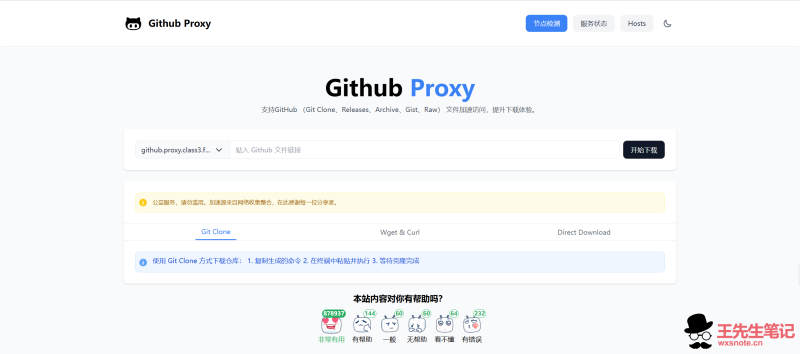




GitHub在国内访问确实不稳定,clone代码慢、Release包下载失败、raw文件打不开是常事。我整理了两类加速方法:镜像站下载和本地hosts/代理配置,总有一个能用。
镜像站下载:国内节点秒级同步,直接替换链接超简单
不想改任何设置?最简单的方法就是用国内镜像站下载,相当于GitHub在国内的”高速副本”,直接通过镜像链接访问,速度提升 10 倍 +!
将你想下载的文件填入,即可获得加速下载地址
项目源自:https://github.com/moeyy01/gh-proxy-go
加速下载网站平台地址(失效通知我,我帮忙找新的):https://github.akams.cn/
1.进入网站填写链接,点开始下载按钮,或获取下载链接
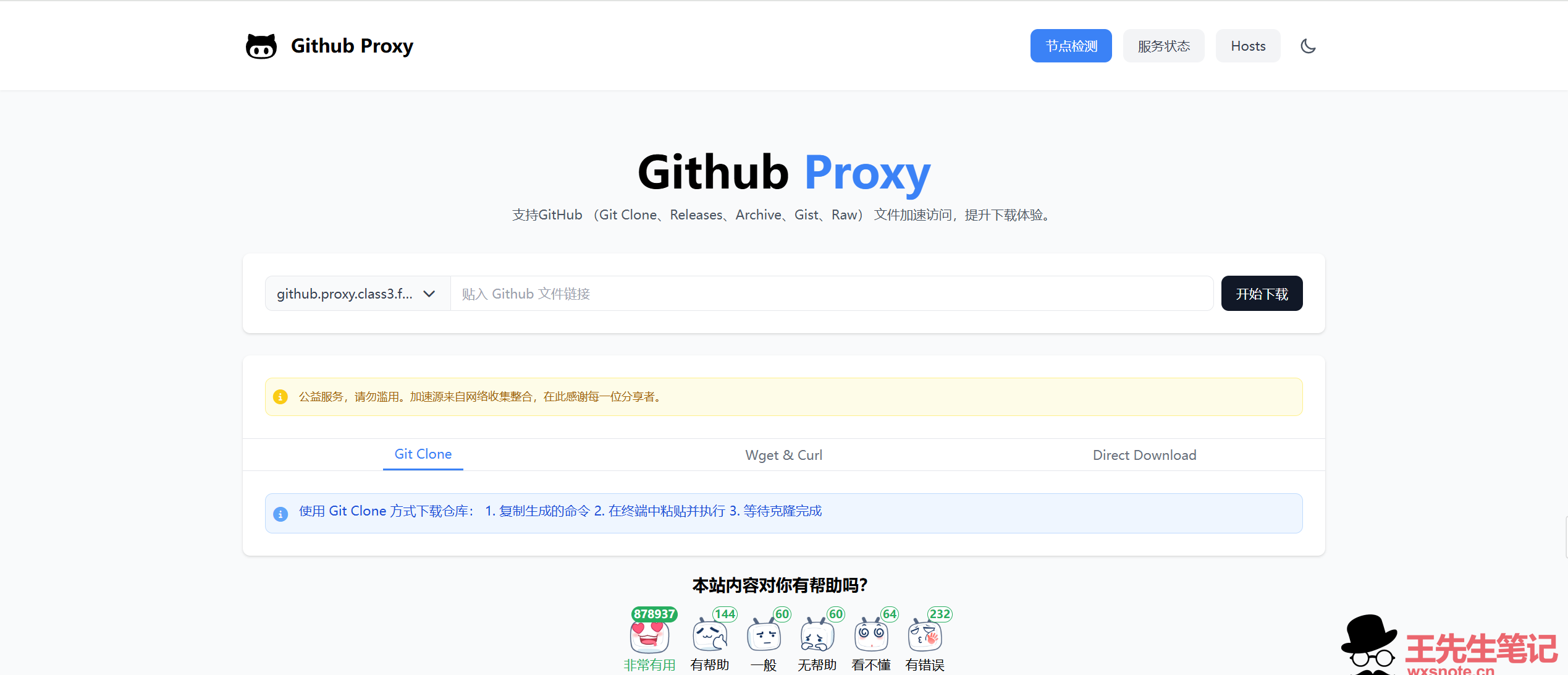
2.一般使用方法,在链接前添加下载加速地址:
如Github文件链接:https://github.com/twsh0305/ip-sign/releases/download/2.0/ip-sign-2.0.zip
就可以替换为:https://加速地址/https://github.com/twsh0305/ip-sign/releases/download/2.0/ip-sign-2.0.zip
git命令同理,直接在原来的地址前添加加速地址即可,如:
git clone https://加速地址/https://github.com/twsh0305/ip-sign.git3.为git配置下载加速,配置Git对GitHub域名强制使用代理(替换为你的代理链接前缀),在Linux系统运行以下命令,后续,只要运行git命令,自动替换为加速地址
git config --global url."https://加速地址/https://github.com/".insteadOf "https://github.com/"hosts 配置:手动绑定 IP,根治 DNS 解析慢
如果你懂点技术,改hosts文件能从源头加速!通过绑定GitHub域名到国内解析的IP,减少DNS查询延迟,适合长期稳定使用。
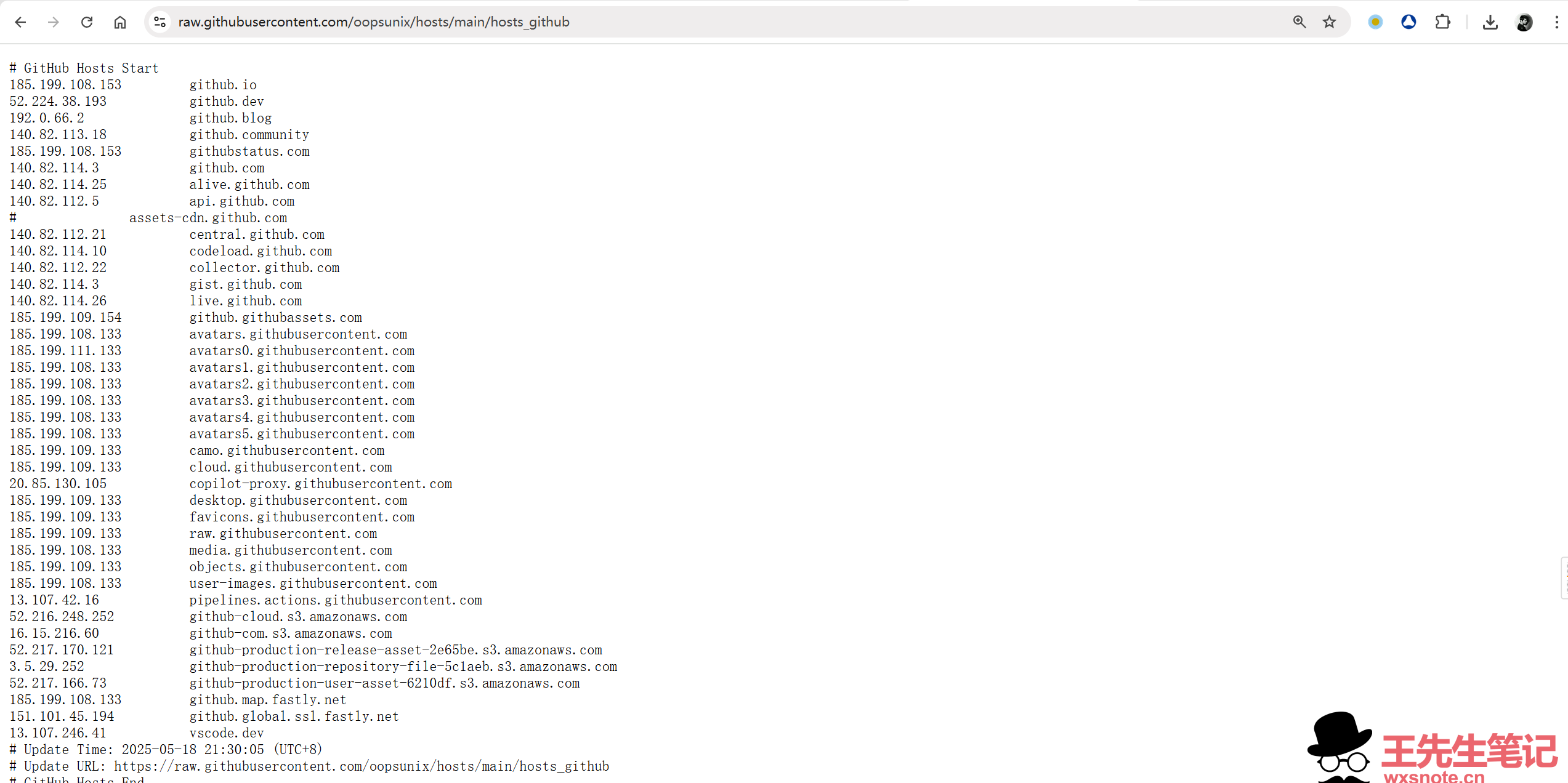
获取最新GitHub的Hosts
以下项目你可以找到GitHub的Hosts文件更新,其中项目3是我最常用的,也是我在维护的,其地址你可以添加到一些自动更新hosts的工具中,让其自动更新hosts
项目1:https://github.com/521xueweihan/GitHub520
hosts获取地址1:
https://raw.hellogithub.com/hosts项目2:https://github.com/oopsunix/hosts
hosts获取地址2:
https://raw.githubusercontent.com/oopsunix/hosts/main/hosts_github我自己维护的项目3:http://api.1doc.top/github/github-hosts.txt
hosts获取地址3:
https://api.1doc.top/github/github-hosts.txthosts项目3本文动态更新:
#Github Hosts 开始
#博客:王先生笔记
#文章网址:https://wxsnote.cn/5975.html
#更新url:http://api.1doc.top/github/github-hosts.txt
152.32.215.247                alive.github.com
152.32.215.247                api.github.com
152.32.215.247                api.individual.githubcopilot.com
152.32.215.247                avatars.githubusercontent.com
152.32.215.247                avatars0.githubusercontent.com
152.32.215.247                avatars1.githubusercontent.com
152.32.215.247                avatars2.githubusercontent.com
152.32.215.247                avatars3.githubusercontent.com
152.32.215.247                avatars4.githubusercontent.com
152.32.215.247                avatars5.githubusercontent.com
152.32.215.247                camo.githubusercontent.com
152.32.215.247                central.github.com
152.32.215.247                cloud.githubusercontent.com
152.32.215.247                codeload.github.com
152.32.215.247                collector.github.com
152.32.215.247                desktop.githubusercontent.com
152.32.215.247                favicons.githubusercontent.com
152.32.215.247                gist.github.com
152.32.215.247                github-cloud.s3.amazonaws.com
152.32.215.247                github-com.s3.amazonaws.com
152.32.215.247                github-production-release-asset-2e65be.s3.amazonaws.com
152.32.215.247                github-production-repository-file-5c1aeb.s3.amazonaws.com
152.32.215.247                github-production-user-asset-6210df.s3.amazonaws.com
152.32.215.247                github.blog
152.32.215.247                github.com
152.32.215.247                github.community
152.32.215.247                github.githubassets.com
152.32.215.247                github.global.ssl.fastly.net
152.32.215.247                github.io
152.32.215.247                github.map.fastly.net
152.32.215.247                githubstatus.com
152.32.215.247                live.github.com
152.32.215.247                media.githubusercontent.com
152.32.215.247                objects.githubusercontent.com
152.32.215.247                pipelines.actions.githubusercontent.com
152.32.215.247                raw.githubusercontent.com
152.32.215.247                user-images.githubusercontent.com
152.32.215.247                vscode.dev
152.32.215.247                education.github.com
152.32.215.247                private-user-images.githubusercontent.com
#更新时间:2026-06-02T23:52:22+08:00
#Github Hosts 结束
食用方法
复制获取到的hosts内容
修改hosts文件(目录位置)
Windows 系统:C:WindowsSystem32driversetchosts
Linux 系统:/etc/hosts
Mac(苹果电脑)系统:/etc/hosts
Android(安卓)系统:/system/etc/hosts
iPhone(iOS)系统:/etc/hosts
修改方法,把内容复制到文本末尾
Windows 使用记事本
Linux、Mac 使用 Root 权限:sudo vi /etc/hosts
iPhone、iPad 须越狱、Android 必须要 root
除了移动端,所有电脑设备推荐以下工具


 2年前
2年前
utools的应用中心可以找到hosts修改工具

移动端只有安卓有工具,苹果我不知道

顺便提一嘴,软路由与旁路由是最优解,实现代理,自动hosts更新等,总之家里的网络是跟随除路由器以外的硬件设备全局科学上网的。你需要一个硬件设备用来更改局域网网络,最次也要一个机顶盒刷上软路由系统。路由器,稍微麻烦一点,如小米路由器可以设置hosts

CDN 加速:静态资源专属高速公路
jsDelivr 加速(前端党必用)

避坑指南:这些细节一定要注意!
hosts时效性:GitHub IP 经常变!建议每周用工具查一次,及时更新才能保持速度~
镜像下载站:下载站极其不稳定,推荐找项目自建加速自用~
合规性第一:确保使用的方法符合当地法律法规,安全开车最重要!
现在就试试这些方法,再也不用对着”正在加载”的页面发呆了。有问题欢迎评论区留言,大家一起解决。











暂无评论内容